









OpsHub Integration Manager

No-code integration platform for rich bi-directional sync

OpsHub Migration Manager

Zero downtime migration to tool of your choice

OpsHub Archive Manager

Keep Historical Data, Without Slowing Down Your Tools

OpsHub Migrator for Microsoft Azure DevOps

Migrate or restructure Azure DevOps Instances

OpsHub Data Bridge

Real-time, context-rich data lake for AI or analytics

Discover our story, vision, and impact.

By Domain

Software Development & Agile Engineering

No-code integration across teams & systems

IT Service Management & Customer Support

Enable collaboration between IT, support & business teams

Product Lifecycle Management & Systems Engineering

Connect PLM & engineering teams for smarter products

Requirements Management for Regulated Industries

Ensure regulatory compliance from start to release

Blogs

Explore the latest in technology and best practices

Case Studies

Success stories from the field

White Papers

Actionable insights for your business challenges.

Videos

See solutions in action

EBooks

Learn, plan, and execute with confidence

Press Releases

Official announcements and updates

Webinars

Join discussions that drive results

News Letters

Stay ahead with curated insights

Compare-2.png

Evaluation Toolkit

Evaluate before you buy

Blogs

Explore the latest in technology and best practices

Case Studies

Success stories from the field

White Papers

Actionable insights for your business challenges.

Videos

See solutions in action

EBooks

Learn, plan, and execute with confidence

Press Releases

Official announcements and updates

Webinars

Join discussions that drive results

News Letters

Stay ahead with curated insights

How to maintain data integrity during Jira Cloud migrations
Blog

How to maintain data integrity during Jira Cloud migrations

This guide explains how to maintain data integrity during Jira Cloud migrations, and Jira migration in general, using Jira Cloud Migration Assistant (JCMA) with OpsHub Migration Manager (OMM). It covers what moves, where integrity breaks, the checks that keep data accurate, and how the two tools work together.


IBM DOORS Migration: Move from DOORS to DOORS Next Gen

Migrate your business-critical data without disruptions and zero-impact on ongoing work.

Trusted by forward-thinking teams across the globe

Supported entities and versions

IBM DOORS

Versions we support: 9.1, 9.2, 9.3, 9.4, 9.5, 9.6 till 9.7.2

Supported entities: Requirement, Baseline [Read only]

IBM DOORS Next Generation

Versions we support: 6.0.6, 7.0.1 and 7.0.2 to 7.0.2 IFix25

Supported entities: All Artifacts for Text and Collection format

Benefits of migrating to DOORS Next

What’s in it for your enterprise

Go beyond just requirements and tap into a comprehensive suite of tools

Empower teams with the user-friendly Jazz platform

Foster real-time collaboration

Doors - Doors next Migration using OMM

Things to keep in mind when considering data migration

1

Business Continuity

Balancing large data volume migration while keeping critical systems operational is essential. Failure to minimize downtime risks financial losses and damage to the organization’s reputation.

2

Data Integrity Risks

Maintaining accurate data transfer is crucial. Ignoring these risks can lead to compromised decision-making and communication gaps.

3

System Compatibility and Interoperability

Mitigate challenges related to system compatibility and data format differences by ensuring appropriate transformation and validation for the new environment.

4

Regulatory Compliance and Data Security

Address challenges associated with regulatory compliance and data security during migration to ensure that sensitive information remains protected and compliant with relevant laws.

5

Training and Stakeholder Communication

Ensuring stakeholders are informed and teams have the right training framework in place leaves little scope for miscommunication and productivity loss.

Key Considerations for System Migration

Ensure a smooth DOORS migration with our insights.

Plan every step of your migration with precision. Download the checklist now!

Why OpsHub Migration Manager

Migrating data can be a complex and time-consuming process, often riddled with inefficiencies and data loss. While other solutions might leave you piecing together scattered fragments, OpsHub Migration Manager (OMM) delivers a comprehensive experience.
With OMM, you're not just migrating data, you’re taking control of your workflow and investing in a future of enhanced data visibility and reduced migration risks.

Zero downtime during migration

Your teams will be able to keep working without any halts in operations or productivity.

Agile approach to data migration

Control what you want to migrate, and when you want to migrate it. No surprises later and no unexpected rework.

High data fidelity post migration

Let your teams enjoy the same data they used in the legacy system, migrated to exactly where you want in the new one. No data inconsistency, no compliance fallouts.

More reasons why forward-thinking teams across the board trust OpsHub’s migration capabilities

Migrate without disrupting operations or team productivity:

  • Maintain data and application continuity across both environments for uninterrupted operations.
  • Validate data and applications in the new environment while still operating in legacy apps.

Get the most out of your migration with high data fidelity and no data loss:

  • Prevent data loss post-migration by bridging model mismatches between source and target systems.
  • Ensure accurate transitions with complete data context, history, comments and relationships.

No matter the size of your teams or projects:

  • Configure once and reuse across thousands of projects and hundreds of teams.
  • Facilitate phased migrations, allowing teams to switch to agile tools while simultaneously working in the current system.

Ensure all security and regulatory compliance standards are met:

  • Migrate all artifacts with history, comments, attachments, and relationships.
  • Facilitate migration to modern tools without retaining older systems.

Minimize setbacks in your journey with a robust failure recovery mechanism:

  • Restart migrations from any point even in the event of changing requirements.
  • Easily reconcile data in case of errors or change requests.

How to migrate from IBM Rational DOORS to IBM DOORS Next with
OpsHub Migration Manager

Set up the configuration for both systems on OpsHub Migration Manager.
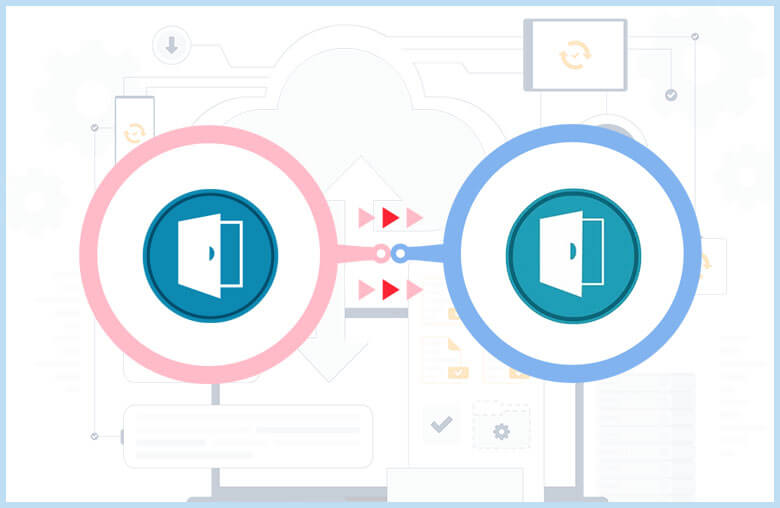
Identify and specify requirements and entities for migration.

Define detailed field mapping to enable comprehensive traceability.

Integrate both systems and activate the migration.

Finalize the migration by cutting off DOORS post completion.

Get started with your IBM DOORS to DOORS Next migration today

Schedule a free 30-minute live demo with our migration experts

Frequently asked questions

Answers to the questions enterprise buyers ask most often before choosing a migration platform.

Does DOORS to DOORS Next migration keep the full history and audit trail?

This is the most important question in a DOORS migration, especially in regulated industries. IBM’s native migration package does not migrate history or audit data. It moves only the current version of each module and creates back-links to the original records in DOORS, which means you have to keep DOORS running to access history and audit trails. OpsHub Migration Manager (OMM) migrates artifacts with their history, comments, attachments, and relationships, so the audit trail moves with the data and you are not tied to the legacy system.

Are DOORS baselines migrated to DOORS Next?

Baselines are one of the trickiest parts of a DOORS migration because DOORS Classic baselines do not map one-to-one to how DOORS Next manages versions through Global Configuration. IBM’s native migration does not carry baselines across. On the OpsHub page, DOORS baseline is currently supported on a read-only basis, so plan your baseline strategy early, especially where baseline traceability is a compliance requirement.

Is DOORS to DOORS Next migration one-way, and can it be done in phases?
Yes on both counts. Migration from DOORS to DOORS Next is a one-way move: data goes into the Jazz-based DOORS Next environment and is not meant to sync back. It does not have to happen in a single event, though. OMM supports phased, incremental migration, so you can move selected modules or projects in waves while teams keep working, validate each wave, and pick your final cutover, rather than attempting one high-risk big-bang move.
How long does a DOORS to DOORS Next migration take, and what should we prepare?

Timelines depend on data volume and how much restructuring you do. Medium environments often take weeks and large, regulated ones can run into months, and much of that time goes into data analysis, cleanup, and defining the target model rather than the data movement itself. The biggest preparation items are deciding what to migrate versus retire, mapping attributes and types between DOORS and DOORS Next, and planning your baseline and traceability approach. A pilot migration on one project is the fastest way to get a realistic estimate for your own environment.

Can I retire and shut down IBM DOORS after migrating to DOORS Next?

Only if your history and audit records move with the data. With IBM’s native migration package, history and baselines stay behind and are reachable only through back-links, so DOORS has to stay online, which keeps licensing and maintenance costs alive. Because OMM migrates artifacts along with their history and relationships, teams can complete the move and decommission DOORS rather than running two systems indefinitely.