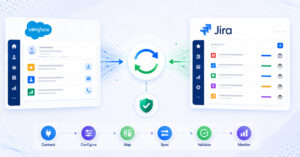
OpsHub Integration Manager

No-code integration platform for rich bi-directional sync

OpsHub Migration Manager

Zero downtime migration to tool of your choice

OpsHub Archive Manager

Keep Historical Data, Without Slowing Down Your Tools

OpsHub Migrator for Microsoft Azure DevOps

Migrate or restructure Azure DevOps Instances

OpsHub Data Bridge

Real-time, context-rich data lake for AI or analytics

Discover our story, vision, and impact.

By Domain

Software Development & Agile Engineering

No-code integration across teams & systems

IT Service Management & Customer Support

Enable collaboration between IT, support & business teams

Product Lifecycle Management & Systems Engineering

Connect PLM & engineering teams for smarter products

Requirements Management for Regulated Industries

Ensure regulatory compliance from start to release

Blogs

Explore the latest in technology and best practices

Case Studies

Success stories from the field

White Papers

Actionable insights for your business challenges.

Videos

See solutions in action

EBooks

Learn, plan, and execute with confidence

Press Releases

Official announcements and updates

Webinars

Join discussions that drive results

News Letters

Stay ahead with curated insights

Blog

The Digital Thread Isn’t Broken. It Was Never Woven.

For fifteen years, the digital thread has been the named ambition of digital engineering. Connected requirements. Live traceability across system, software and physical design. A configuration record that resolves itself, in real time, across PLM, ALM, MBSE, simulation and manufacturing. Most large organizations have invested heavily and with serious intent. Vendors have iterated through several generations of architecture and standards. Yet the thread in most organizations, is still discontinuous.

Blogs

Explore the latest in technology and best practices

Case Studies

Success stories from the field

White Papers

Actionable insights for your business challenges.

Videos

See solutions in action

EBooks

Learn, plan, and execute with confidence

Press Releases

Official announcements and updates

Webinars

Join discussions that drive results

News Letters

Stay ahead with curated insights

Compare-2.png

Compare

See side by side comparison

COMPARE AZURE DEVOPS MIGRATION TOOLS

OM4ADO
vs
Microsoft Azure DevOps Data Migration Tool

Both tools help organizations migrate Azure DevOps data with high fidelity, but they are designed for different needs. The Microsoft native tool is designed for full lift-and-shift migrations where the source is aligned, the target is new, and a planned downtime window is acceptable. OM4ADO is designed for more flexibility, such as phased migration, selective project movement, support for older TFS versions, migration into active target environments while allowing teams to continue working throughout the process.

Glossary

Key migration terms

01

Lift-and-shift migration

This migration approach moves the entire source environment to a new target in a single migration event, keeping the data as-is.

02

Phased migration

A migration approach where projects or teams are migrated in multiple steps instead of moving everything at once.

03

Delta migration

Detecting and migrating only the changes made after the previous migration run, without reprocessing everything.

04

Read-only window

A period during migration when users can view data but cannot make changes in the source system.

05

Blank target organization

An empty target organization created specifically for migration and containing no projects or historical data.

06

Migration cutover

The point when teams stop using the source environment and begin working fully in the migrated target environment.

At a glance

Compare OM4ADO and Microsoft Azure DevOps Data Migration Tool

A quick side-by-side view of how each tool handles common migration needs.
Features OpsHub Migrator for Microsoft Azure DevOps Microsoft Azure DevOps Data Migration Tool
Setup interface Guided user interface, no coding needed. Requires CLI & JSON scripting.
Target project requirements Migrates data directly into existing, active target. Requires a completely empty, blank target org.
Downtime risk Zero downtime; team can keep working in source. Source goes read-only during migration.
Scope options Highly selective. Choose specific projects. Moves entire database collections at once.
TFS version supported Direct migration from older TFS 2010+,
no forced upgrade required.
Requires source to be upgraded to match latest cloud patch.
Process template gaps Seamlessly migrates data from spurce to target;
even if templates differ.
Migration fails if templates do not match exactly;
requires alignment first.
Data fidelity Very high, migrates all project data and configurations permitted by Microsoft's APIs. Complete, moves the entire source database exactly as-is.
Delta migration Ongoing changes are automatically synced during migration. Single planned cutover pass.
Failure handling Failures are identified from GUI and retried from last successful checkpoint. In case of failure, admin requires to restore full source database and rerun migration.
Advanced use cases ADO to TFS, ADO to ADO, TFS to TFS, merging / splitting of instances supported in Pro edition. Not supported by native tooling.
Infrastructure cost Fully free; no staging VM or hardware needed. Free tool but requires paid Azure SQL VM.
Assistance & support Community support; paid support available. Community support; standard Azure or Premier support available.
Best fit Flexible migration of selected projects into active targets without stopping daily work. Basic lift-and-shift cloning of an entire collection during a planned weekend shutdown.

Feature

Setup approach

Work item migration

TFVC migration
Inline images & rich text

Entity ID mentions (#ID)

Test Entities

Dashboards & widgets
Users, teams & groups
Concurrent-project migration

Delta migration

Failure management

Support model

Best fit

OM4ADO

UI-based setup, no manual coding required

Supported with history and relationships

Migrates TFVC repo to ADO without converting it to Git

Complete data preservation, no extra work

Work item IDs and links fully preserved

Test plans, suites, runs, and results fully migrated at minimal cost

Complete rich migration in Pro edition
Fully migrated at minimal cost.
Migrates one project at a time. Parallel projects can be migrated in Pro edition
Migrates only new changes on the same configuration, preventing any data overwrite
GUI-based failure management auto-resumes from last checkpoint

Community support. Paid support available

Ideal for all sizes of migration projects, doesn’t require any scripting expertise

naked Agility

JSON + CLI – requires scripting expertise

 Supported with manual configuration

TFVC needs conversion to Git before migration

Partial; Markdown often migrated as raw text

Work item links lost; only URL traceability

Test plans and suites supported, but runs and results not

They are not supported

They are not supported

Migrates one project at a time
Re-runs may overwrite previously migrated data, requiring careful manual handling
Errors handled by manual log scanning to identify failures

Community support. Paid support available

Suited for small migrations with technical teams using CLI and JSON control

Migration experience

Over a decade of Azure DevOps migration experience

OM4ADO has supported Azure DevOps migrations since 2014, helping organizations move from older TFS and Azure DevOps environments as Microsoft’s platform evolved. This experience spans multiple generations of Azure DevOps and Team Foundation Server releases.

OM4ADO Timeline
2014
2016
TODAY
2014
OM4ADO (formerly OVMSU) launches

Microsoft launched OpsHub Visual Studio Migration Utility (now OM4ADO) as the first and only migration solution available for teams moving from Team Foundation Server (TFS) to Visual Studio Online (now Azure DevOps).

2016
Microsoft Launches Native Migration Tool

Microsoft introduced its native Azure DevOps migration tooling, providing a built-in migration path for supported Server-to-Services migration scenarios..

TODAY
10+ Years of Migration Experience

OM4ADO continues helping organizations migrate across TFS and Azure DevOps environments, backed by more than a decade of migration experience and close collaboration with Microsoft teams.

Migration experience

Over a decade of Azure DevOps migration experience

OM4ADO has supported Azure DevOps migrations since 2014, helping organizations move from older TFS and Azure DevOps environments as Microsoft’s platform evolved. This experience spans multiple generations of Azure DevOps and Team Foundation Server releases.

2014

OM4ADO (formerly OVMSU) launches

Microsoft launched OpsHub Visual Studio Migration Utility (now OM4ADO) as the first and only migration solution available for teams moving from Team Foundation Server (TFS) to Visual Studio Online (now Azure DevOps).

Modernization Wave

Microsoft Launches Native Migration Tool

Microsoft introduced its native Azure DevOps migration tooling, providing a built-in migration path for supported Server-to-Services migration scenarios.

Now

10+ Years of Migration Experience

OM4ADO continues helping organizations migrate across TFS and Azure DevOps environments, backed by more than a decade of migration experience and close collaboration with Microsoft teams.

Migration flexibility

Migration approach and flexibility

How each tool supports different migration approaches, from full lift-and-shift to phased, selective, and restructuring-based migrations.

OpsHub Migrator for Microsoft Azure DevOps (OM4ADO)

Phased migration for flexible rollout

OM4ADO helps teams move in planned stages, align data to the target setup, and support broader migration needs.

Microsoft logo

Microsoft Azure DevOps Data Migration Tool

Full lift-and-shift of a complete collection.

Microsoft’s tool is designed to moves the whole collection in one lift-and-shift cutover into a blank target.

Key difference

Both tools can move Azure DevOps data with high fidelity. Microsoft’s tool moves the whole collection in one lift-and-shift cutover into a blank target that follows the source structure. OM4ADO gives more flexibility: teams can migrate selected projects in phases, even when the source and target have different templates, custom fields, or work item types.

Migration continuity

Migration execution and continuity

How migration runs in practice, including downtime requirements, handling of ongoing changes, failure recovery, and target readiness.

OpsHub Migrator for Microsoft Azure DevOps (OM4ADO)

Continuous migration without disrupting active teams

OM4ADO keeps live updates synchronized automatically while teams continue working throughout the migration process.

Microsoft logo

Microsoft Azure DevOps Data Migration Tool

Planned cutover with source pause

Microsoft’s tool is built for a planned migration window where the source goes read-only, target starts blank, and migration runs as a single planned pass.

Key difference

OM4ADO helps teams keep working in the source system while migration runs, and delta migration captures new or updated data before final cutover. If a run fails, OM4ADO can retry from the last checkpoint instead of restarting the full migration. Microsoft’s tool is built for a planned cutover with a read-only source and blank target, which works well when teams can pause updates during the migration window.

Version and use-case support

Source compatibility and migration scenarios

How each tool supports different TFS and Azure DevOps versions, along with the range of migration paths and scenarios it can handle.

OpsHub Migrator for Microsoft Azure DevOps (OM4ADO)

Broader support for older TFS and varied paths

OM4ADO helps teams migrate from older TFS versions, avoid upgrades, and move across all Azure DevOps migration paths.

Microsoft logo

Microsoft Azure DevOps Data Migration Tool

Migrates only from recent TFS versions (2022.1 & 2022.2)

Microsoft’s tool supports standard migrations from recent Azure DevOps Server versions into a new Azure DevOps Services target.

Key difference

OM4ADO helps when teams need to migrate from older TFS versions, move across different Azure DevOps paths, or use an active target with a different template. Microsoft’s tool fits standard Server to Services migration when the source is of latest version, and the target is new and blank.

Migration concerns

Common objections addressed

Microsoft's tool is free. Why would I need OM4ADO?

Microsoft's tool is a good option for standard lift-and-shift migrations into a new Azure DevOps Services environment. OM4ADO is typically chosen when organizations need more flexibility, such as phased migration, selective project migration, support for older TFS versions, migration into active targets, or the ability to keep teams working throughout the migration process.

What if I need to migrate all projects?

Both tools can migrate all projects. The difference is in how the migration is performed. Microsoft's tool moves the entire collection together in a single lift-and-shift migration. OM4ADO can also migrate all projects, while giving teams the option to move them in phases, keep users working during the migration, and adapt data to the target environment when needed.

What if my source and target templates are different?

This is a common scenario when the target environment has already been configured or follows different processes. Microsoft's migration tool is designed for migrations where the source and target structures are closely aligned. OM4ADO can map fields, users, and work item types between different templates, helping teams migrate into environments that are already in use without needing to rebuild the target to match the source.

Can't we just schedule a weekend cutover?

For some organizations, a planned migration weekend works perfectly well. However, larger environments, global teams, or business-critical projects may find downtime difficult to coordinate. OM4ADO helps reduce disruption by allowing teams to continue working while migration runs and by synchronizing ongoing changes before final cutover.

Will OM4ADO modify my data during migration?

No. OM4ADO is designed to migrate data with high fidelity. When source and target environments use different templates, fields, or work item types, OM4ADO can map data to the target structure so that information remains usable after migration. The goal is to align data with the target setup, not change the underlying business information.

Can't I just upgrade TFS first and then use Microsoft's tool?

Yes, you can, but upgrading older TFS environments can add extra time, effort, and risk before the actual migration starts. Teams may need to complete one or more upgrade cycles, test each stage, and validate the environment before becoming eligible for migration. OM4ADO supports TFS versions from 2010 onward, helping organizations move directly to the target environment without those intermediate upgrade steps.

FAQs

Frequently Asked Questions

Which migration tool should I choose for Azure DevOps migration?

The right choice depends on your migration scenario. Microsoft’s Azure DevOps Data Migration Tool is designed for full Server-to-Services migrations into a new blank Azure DevOps Services organization. OM4ADO is often chosen when teams need phased migration, selective project migration, support for older TFS versions, migration into active targets, or migration paths beyond the standard Server-to-Services approach.

Can both tools migrate Azure DevOps data with high fidelity?

Yes. Both tools are designed to preserve Azure DevOps data during migration. Microsoft’s tool uses its native migration process for supported scenarios, while OM4ADO migrates all data that Microsoft Azure DevOps APIs allow tools to read and write.

Do I need to migrate all projects at once?

Not necessarily. Microsoft’s tool migrates the entire collection together. OM4ADO supports both approaches, allowing organizations to migrate all projects together or move selected projects in phases based on business priorities.

Can users continue working during migration?

That depends on the migration approach. Microsoft’s tool uses a planned migration window where the source becomes read-only during migration. OM4ADO supports parallel migration with delta synchronization, allowing teams to continue working while migration activities are in progress.

What is delta migration and why does it matter?

Delta migration captures changes that happen after the initial migration pass. This helps keep source and target environments synchronized until final cutover, reducing the amount of work that accumulates during the migration process.

Can I migrate directly from older TFS versions?

Microsoft’s migration tool supports recent Azure DevOps Server versions. Older TFS environments typically require upgrades before migration. OM4ADO supports TFS versions from 2010 onward, allowing many organizations to migrate directly without intermediate upgrade projects.

What happens if my source and target templates are different?

Different templates often contain different fields, workflows, and work item types. Microsoft’s migration process is designed for environments that remain closely aligned. OM4ADO can map fields, users, and work item types between different source and target templates when required.

Can Azure DevOps projects be merged or split during migration?

Some organizations need to consolidate multiple projects into one or split large projects into separate environments. These restructuring scenarios are not part of Microsoft’s standard migration process. OM4ADO supports merge, split, and other transformation-based migration scenarios.

Is OM4ADO available on-premise?

Yes. OM4ADO can be deployed on-premise or in a customer-controlled hosted environment, with migration data and logs residing on the customer’s infrastructure.

Making your decision

Decision guide

opshub.png

Choose OM4ADO when...

Microsoft banner

Choose Microsoft Tool when...

Ready to start your migration?

Download the free edition and run your first migration today, or speak with our team to map out a migration plan that fits your timeline and scale.