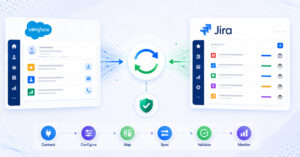
Reconciliation modes
Runtime reconciliation: Each entity is reconciled the first time an update event arrives for it. The association is matched lazily, spreading server load over time rather than hitting both systems in a single batch. This approach works well in large environments where minimizing server impact during the transition period is important.
Bulk reconciliation: All entity associations are matched in a single pass before sync begins. Once the batch run completes, every previously synced entity is mapped and ready for sync from day one. This approach works well in smaller environments or when teams want a clean, fully reconciled starting state before going live.
The choice between the two depends on the scale of the sync environment, the number of entities involved, and how much server load is acceptable during the transition window.
No periodic full scans
Planview Hub relies on periodic full-system scans to maintain data consistency across connected tools. These scans create predictable spikes in API load and become more expensive as data volumes grow.
OpsHub Integration Manager does not perform periodic full scans. Changes are detected through delta-based incremental processing. Only entities that have actually changed are evaluated and synced. This keeps API consumption predictable and stable, which matters in enterprise environments with large artifact volumes and strict API rate limits.
What changes operationally
| Dimension | Planview Hub | OpsHub Integration Manager |
|---|
| Sync approach | Periodic full scans | Delta-based incremental sync |
| Entity coverage | Standard work items, comments, attachments | All standard plus releases, iterations, test steps, pipelines |
| Config automation | Manual configuration | APIs for config and maintenance |
| AI-assisted setup | Not available | MCP server + in-UI AI assist |
| Product investment | Side product in Planview portfolio | Core product, dedicated engineering |
| Support | Shared across Planview suite | Dedicated integration-focused team |
Entity coverage
OpsHub Integration Manager supports every entity type that Planview Hub synchronizes, including work items, comments, attachments, users, and links. In addition, OIM supports complex entity types that are not available through Planview Hub:
- Releases and iterations for planning and sprint-level synchronization across tools.
- Test cases and test steps for traceability between test management and development tools.
- Pipelines for syncing CI/CD pipeline data across connected systems.
- Requirements and folders for structured synchronization of hierarchical artifacts in requirements management tools.
Product investment and release velocity
Planview Hub became part of a larger portfolio when Planview acquired Tasktop. Since then, the product has operated as one component within a broader suite, with shared support and a release cadence of roughly four updates per year.
OpsHub Integration Manager is a core product with its own dedicated engineering, QA, and support teams. OIM ships 30 to 32 releases per year, delivering connector updates, fixes, and new capabilities every two to three weeks.
Configuration automation and AI
OIM provides a full API layer for provisioning, configuring, monitoring, and maintaining integrations programmatically. Teams that manage large numbers of integration projects can automate configuration at scale rather than handling it manually through the UI.
OIM also includes a Model Context Protocol (MCP) server and an in-UI AI assistant that help speed up integration configuration. The MCP server allows AI-powered development assistants to interact with OIM directly, making OIM part of the infrastructure that AI tools can invoke rather than a standalone product that sits outside modern workflows.
What to expect during the transition
1. Assessment. OpsHub reviews your connector inventory, sync volumes, and integration health to build a migration plan.
2. Configuration. Integration mappings are replicated in OIM. No scripting is required.
3. Reconciliation. Entity associations are matched using existing cross-system IDs, either at runtime or in a single bulk pass depending on environment scale.
4. Parallel validation. Both platforms run side by side. Teams continue working uninterrupted while data integrity is verified.
5. Cutover. Planview Hub retires. OIM takes over with a full audit trail in place.
To discuss how reconciliation would work in your environment, book a slot with the OpsHub team at opshub.com.