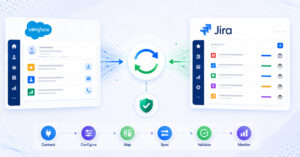
In modern software delivery environments, Tosca Jira integration is becoming essential for teams that rely on both test automation and agile development workflows.
These tools often coexist:
- Jira for backlog management, issue tracking, and collaboration
- Tricentis Tosca for test case design, execution, and automation
Teams depend on both systems. But without a structured Tosca and Jira integration, operational gaps appear quickly:
- Test results are not visible in Jira
- Bugs are recreated manually
- Test coverage is hard to track
- QA and development teams work in silos
This guide explains how to integrate Tosca with Jira bidirectionally, what to consider before implementation, and how to maintain consistent data flow across testing and development without disrupting existing workflows.
This allows QA and development teams to continue working in their preferred systems while maintaining consistent, synchronized data across both platforms.
Why integrate Tosca and Jira?
Tosca and Jira integration enables:
- Real-time test visibility: Test results and execution status are available in Jira without manual updates
- End-to-end traceability: Link requirements, test cases, executions, and defects across both systems
- Reduced manual effort: Eliminate duplicate bug creation and status updates
- Aligned QA and development workflows: QA teams work in Tosca, while development teams continue in Jira
- Consistent test data and history: Preserve test results, comments, attachments, inline content and execution context
What to consider before integrating Tosca and Jira
Before setting up a Tosca Jira integration, evaluate:
- Data consistency: Ensure test results, defects, and statuses remain consistent across both systems
- Traceability requirements: Maintain links between test cases, executions, and Jira issues
- Failure handling: Check how the system manages sync failures and retries
- Mapping accuracy: Align test entities in Tosca with Jira issue types and workflows while preserving consistent meaning across systems
- Security and access control: Ensure data access and permissions are managed correctly
These factors determine whether your integration remains reliable over time.
The integration approach used in this guide
This guide uses OpsHub Integration Manager (OIM) to demonstrate Tosca–Jira integration.
Unlike plugin-based approaches or scripts, OIM works externally and manages how data flows between systems without modifying them.
It enables:
- Synchronization of test cases, test executions, defects, and related data
- Preservation of relationships, attachments, comments, inline content and traceability across systems
- Bidirectional synchronization that keeps Tosca and Jira continuously aligned without requiring teams to change tools
- Monitoring, retry, and error handling within the integration layer
This approach ensures that integration remains stable as data and usage grow.
Step-by-step Tosca–Jira integration using OIM
Before starting:
- Ensure OIM is installed and accessible
- Verify access credentials for both Tosca and Jira
- Confirm system-specific prerequisites
Step 1: Configure systems
- Add Tosca as a source system
- Add Jira as a target system
- Validate authentication and connectivity
Step 2: Define entities for synchronization
- Map Tosca test cases, test steps, and executions
- Map Jira issues such as bugs, tasks, or stories
- Define which entities should be synchronized
Step 3: Map fields and relationships
- Align fields such as status, priority, and ownership
- Map test execution results to Jira issue fields
- Preserve links between test cases and defects
Step 4: Define synchronization logic
- Configure two-way or one-way sync
- Define how updates move between systems
- Set rules for handling conflicts
Step 5: Configure execution settings
- Set sync frequency or event triggers
- Define processing intervals
- Ensure timely updates
Step 6: Activate and monitor integration
- Start the integration
- Monitor synchronization status
- Use logs and retry mechanisms to resolve issues
Real-world example: QA and development collaboration
Without Tricentis Tosca and Jira integration:
- QA executes tests in Tosca
- Bugs are manually logged in Jira
- Status updates are shared through emails
- Test coverage is not visible to development teams
With Tosca–Jira two-way integration:
- Test execution results in Tosca create or update Jira issues
- Developers track defects directly in Jira
- Status updates flow back to Tosca
- QA and development teams work with consistent data
This creates a continuous flow from testing to defect resolution without manual effort.
What a bidirectional Tosca–Jira integration looks like
Expected outcomes
- No duplicate defect creation
- Test results visible in Jira
- Consistent status across both systems
- Traceability between tests and issues
Warning signs
- Manual updates between tools
- Missing or inconsistent test results
- Broken links between test cases and defects
- Increasing dependency on spreadsheets or emails
Conclusion
Tosca and Jira play critical roles in testing and development workflows. But without integration, teams spend time managing data instead of delivering quality.
A near real-time two-way Tosca–Jira integration ensures:
- Consistent test and defect data with data rich sync
- Clear traceability across systems
- Better collaboration between QA and development
When implemented correctly, integration becomes part of the workflow, not an additional task.
If your teams rely on both Tosca and Jira, evaluating your integration approach early helps avoid common challenges around data consistency, traceability, and workflow alignment.