OpsHub Integration Manager

No-code integration platform for rich bi-directional sync

OpsHub Migration Manager

Zero downtime migration to tool of your choice

OpsHub Archive Manager

Keep Historical Data, Without Slowing Down Your Tools

OpsHub Migrator for Microsoft Azure DevOps

Migrate or restructure Azure DevOps Instances

OpsHub Data Bridge

Real-time, context-rich data lake for AI or analytics

Discover our story, vision, and impact.

By Domain

Software Development & Agile Engineering

No-code integration across teams & systems

IT Service Management & Customer Support

Enable collaboration between IT, support & business teams

Product Lifecycle Management & Systems Engineering

Connect PLM & engineering teams for smarter products

Requirements Management for Regulated Industries

Ensure regulatory compliance from start to release

Blogs

Explore the latest in technology and best practices

Case Studies

Success stories from the field

White Papers

Actionable insights for your business challenges.

Videos

See solutions in action

EBooks

Learn, plan, and execute with confidence

Press Releases

Official announcements and updates

Webinars

Join discussions that drive results

News Letters

Stay ahead with curated insights

Blog

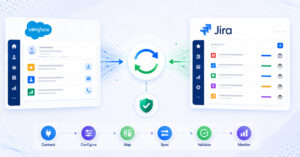
How to integrate Salesforce and Jira in 2026(A step-by-step guide)

Salesforce captures customer-facing activities while Jira manages engineering execution. Integrating the systems reduces manual handoffs and improves transparency across teams. This guide covers architectural considerations, mapping strategies, and integration best practices.

Blogs

Explore the latest in technology and best practices

Case Studies

Success stories from the field

White Papers

Actionable insights for your business challenges.

Videos

See solutions in action

EBooks

Learn, plan, and execute with confidence

Press Releases

Official announcements and updates

Webinars

Join discussions that drive results

News Letters

Stay ahead with curated insights

Compare-2.png

Compare

See side by side comparison

What happens when integrating IBM DOORS Next Generation and Azure DevOps

Integrate IBM DOORS Next Generation (DOORS NG) with Azure DevOps (ADO) using a live, secure, bidirectional, and no-code integration to streamline requirements management and engineering collaboration. Software requirements and system requirements created in DOORS NG seamlessly sync to Azure DevOps, preserving rich text formatting like bullet lists and inline image. Requirement links, IDs, and status updates sync live for end-to-end visibility and complete context across both systems.

OpsHub Integration Manager eliminates manual duplication, keeps requirement data aligned accurately, and maintains end-to-end traceability between DOORS NG and Azure DevOps. It helps systems engineering and development teams stay connected with real-time updates, improving collaboration, reporting, and decision-making across the product lifecycle.

Connect your tools. Power your integrations with OIM

Chapters:

00:00 How to create a Software Requirement

00:26 How to create a System Requirement

00:40 How to auto-sync requirements to Azure DevOps

01:23 Verifying synced requirements and preserved context, and traceability

02:13 How to sync status updates bidirectionally from Azure DevOps to IBM DOORS NG

02:42 Conclusion

Video Transcript

In IBM DOORS Next Generation, we begin by creating a software requirement (00:03). Next, we update it with a formatted bullet list and set the software requirement priority to high (00:10). An inline image is also added (00:17). We then create a system requirement and add the details just as we did earlier (00:26). To meet the sync criteria, we set this priority to high as well (00:32). Now, we update the information in the system requirement, demonstrating how OpsHub Integration Manager syncs updates live between DOORS NG and Azure DevOps (00:40). We then open the software requirement in DOORS NG and update its title and formatted content (00:49). Next, we create a link between the software and system requirements in DOORS NG (00:59). OpsHub Integration Manager runs in the background, fetching data from IBM DOORS Next Generation and automatically syncing it to Azure DevOps with no coding or manual effort required (01:05). In Azure DevOps, both the system and software requirements have now synced successfully (01:14). Under the system requirement, we can see the updated description reflected in Azure DevOps, along with the DOORS system requirement ID and URL, providing direct visibility between the two systems (01:23). Since the status remained unchanged in DOORS NG, it still appears as new. We now change it to active (01:32). As defined in OpsHub Integration Manager, this status update bidirectionally syncs back to DOORS NG as playback, and the link created with the software requirement is also preserved during sync (01:41). Now, let’s take a look at the software requirement. The rich text added in DOORS NG is reflected in Azure DevOps, preserving both formatting and the inline image (01:58). The link created between the requirements is also preserved (02:07). The DOORS software requirement ID and URL are populated as well, enabling direct access from Azure DevOps without switching tools (02:13). Next, we update the software requirement status to active (02:22). We then return to DOORS NG to verify the updated status sync. In the system requirement, the status has changed to playback after the successful two-way sync, and similarly, the software requirement status also updates to playback to reflect the change (02:30). That completes the demo. Thanks for watching (02:42).


Connect your tools. Power your integrations with OIM