- Start the utility
- Read and accept the EULA
- Add the source Team Foundation Server/Visual Studio Team Service details and select the projects
[Optional] Only required to provide when there is a need to find the template mismatch and the user difference between the source and target projects.
Add the target Team Foundation Server/Visual Studio Team Service details, and select the projects.- Select the option to gather the data from the given Team Foundation Server/Visual Studio Team Service projects
- Analyze WorkItem Data - Will get revision count,attachment count and link count for all the work-items and test entities for the provided projects
- Analyze Version Control Data - Will get change-set count and label count for the provided projects
- Both - Will get revision count, attachment count, and link count for all the work-items, and test entities as well as change-set count and label count for the provided projects
- Running the analyzer
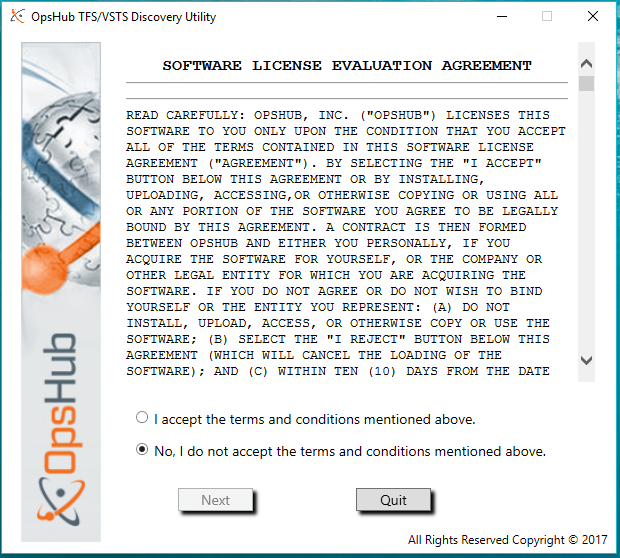
To start the utility,you need to run the DiscoveryUtilityUI.exe file from the utility extracted folder. This will spawn an EULA[End user license agreement] screen.
Below is the EULA screen. Read the license details and accept the same by clicking the radio button I accept the terms and condition mentioned above. Once you accept the teams and conditions, you will be allowed to proceed further to next screen.
Once the EULA is accepted, the next screen appears:-
This will allow you to add the Team Foundation Server/Visual Studio Team Service instance details and project details.
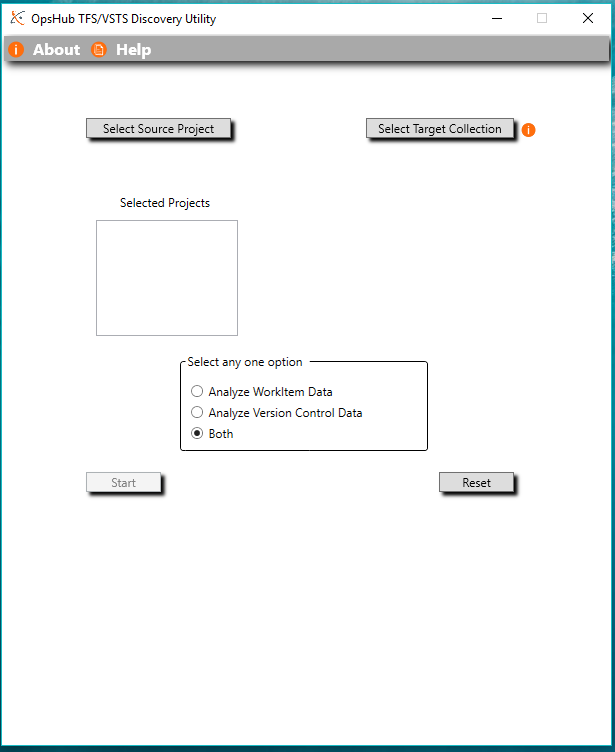
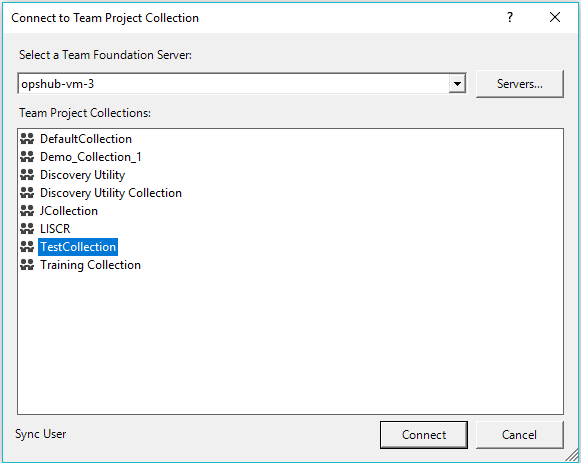
Provide the Team Foundation Server/Visual Studio Team Service instance details and project details that need to be taken as source end-point by clicking the Select Source Project button.
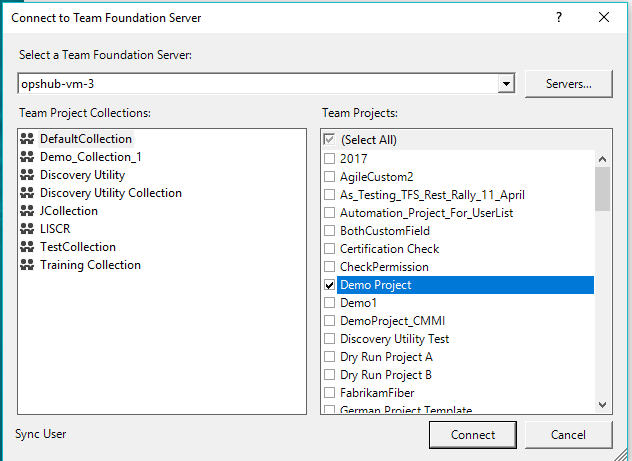
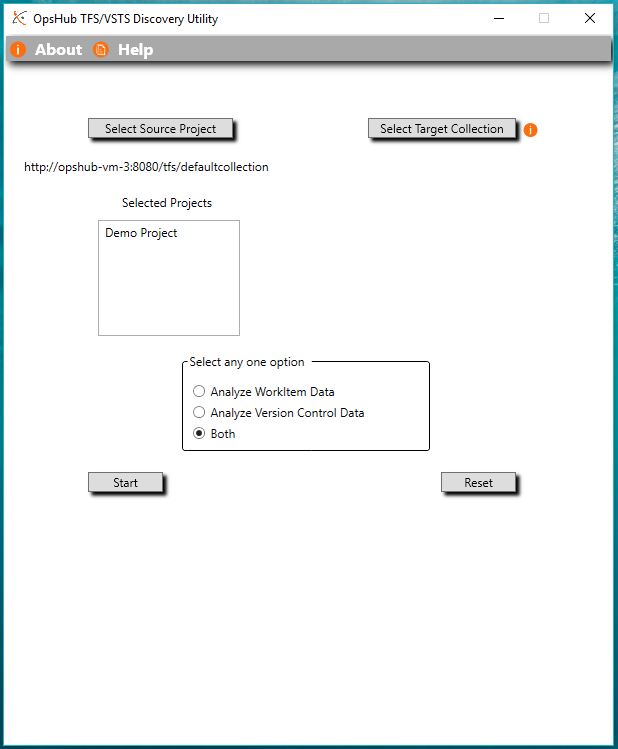
Provide the Team Foundation Server/Visual Studio Team Service instance details and project details that need to be taken as Target end-point by clicking the Select Target Collection button.
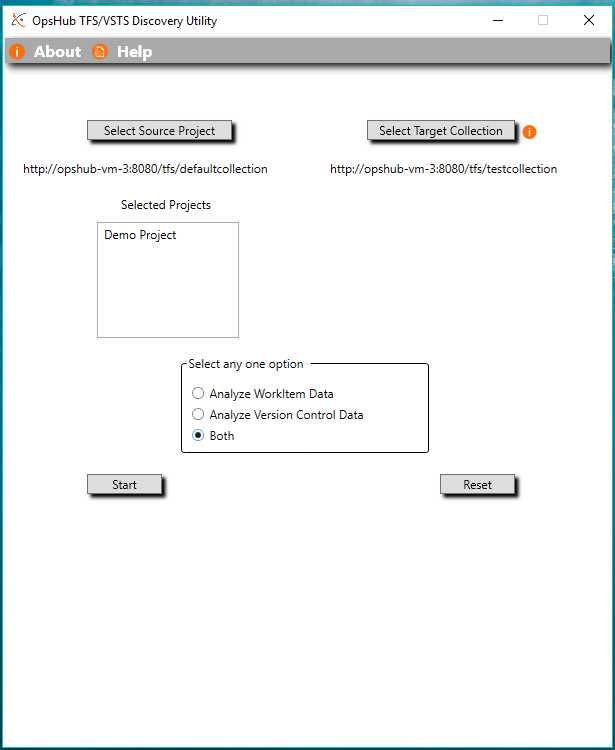
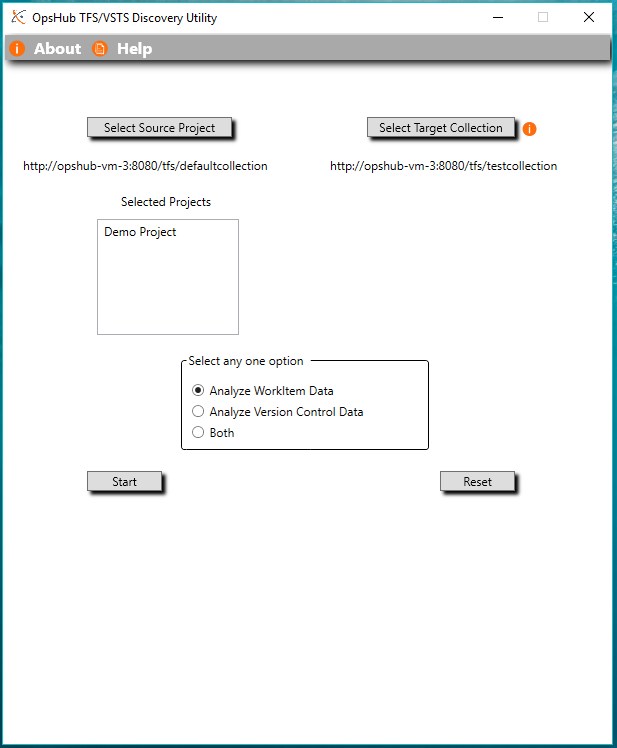
To Run the analyzer for the provided projects and provided options, click Start. This will start calculating -data based on provided details of projects and selected options.
Note:Data gathering takes time based on projects you have selected so please wait until the success message or error messagebox is not displayed. If you want to stop the process, click the Cancel button.
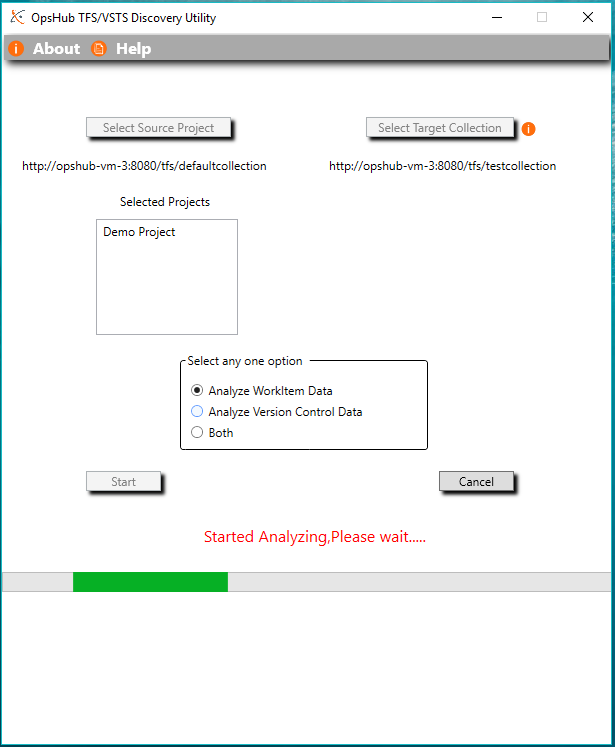
Once the analysis is completed, an output message, mentioning that the calculation process is completed and a file is created containing information, will be displayed.
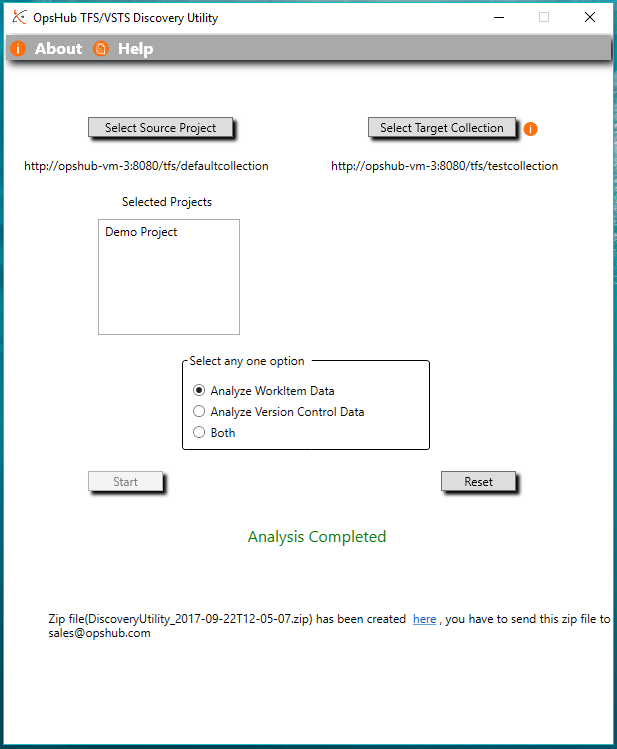
Please find the generated zip file and send that file to sales@opshub.com